A printed QR code is silent: it can't tell you whether anyone looked at it. Tracking changes that. With the right kind of code you can see how many people scanned your poster, when they did it, roughly where they were and what phone they used. That is enough to decide which placement deserves a reprint and which one should come down. This guide explains how QR code tracking works, how to set it up so the numbers are actually useful, and how to read each metric without fooling yourself.
You can only track dynamic QR codes
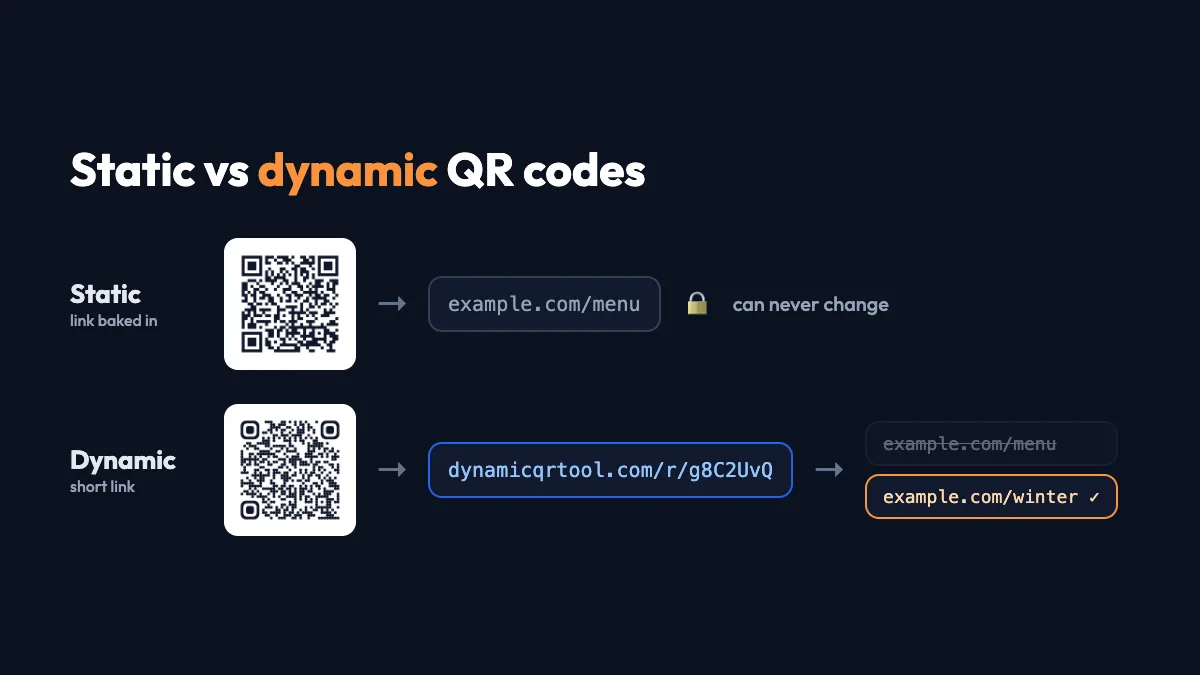
A static QR code contains your link directly. When someone scans it, their phone goes straight to your website, and nothing in between can count the scan. A dynamic QR code contains a short link instead, such as dynamicqrtool.com/r/abc1234. That short link forwards the visitor to your page, and each pass through it is counted. That is the only way a printed code can report scans. If you're unsure which type you have, read static vs dynamic QR codes first.
You can create a trackable code for free on the Dynamic QR Tool generator: paste your link, create the code, and the analytics dashboard starts filling as soon as people scan.
What QR code tracking can and can't tell you
| You can see | You can't see |
|---|---|
| Total scans and estimated unique visitors | Who scanned: no names, emails or phone numbers |
| Scans per day, and by day of the week and hour | What they did after landing (use web analytics for that) |
| Country and city, estimated from the network | Their exact location (no GPS) |
| Device type, operating system, browser, language | People who looked at the code but didn't scan |
That boundary is deliberate. Scan analytics describe the placement, not the person, which keeps them useful and privacy-friendly.
Set it up so the numbers mean something
- One code per placement. Don't reuse the same code on the window poster, the counter card and the flyer. Give each its own dynamic code, so you can compare them. They can all point to the same page.
- Name codes clearly. "Spring flyer – library" beats "QR 3". Six months later you'll thank yourself.
- Add UTM parameters to the destination (for example ?utm_source=qr&utm_medium=poster&utm_campaign=spring) so your website analytics label the visits too.
- Test before printing, then note your own test scans so you can discount them.
- Keep the dashboard link safe. Save the private manage link or keep the code in an account, so you can always get back to the numbers.
How to read each metric
Scans vs unique visitors
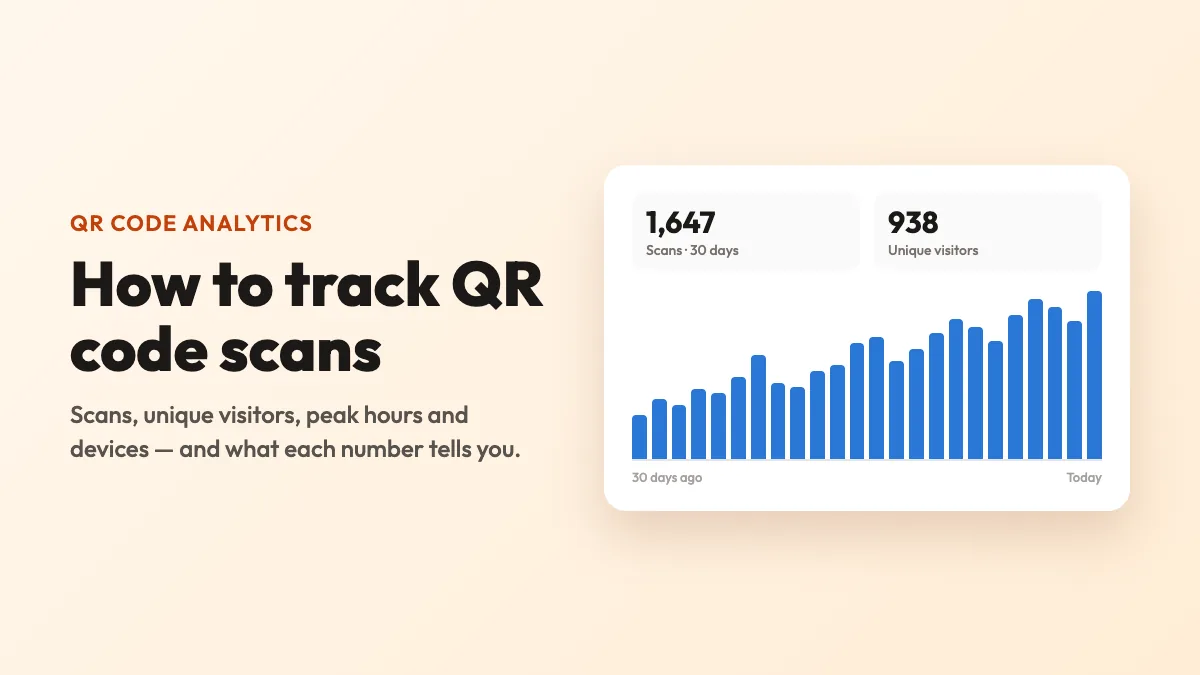
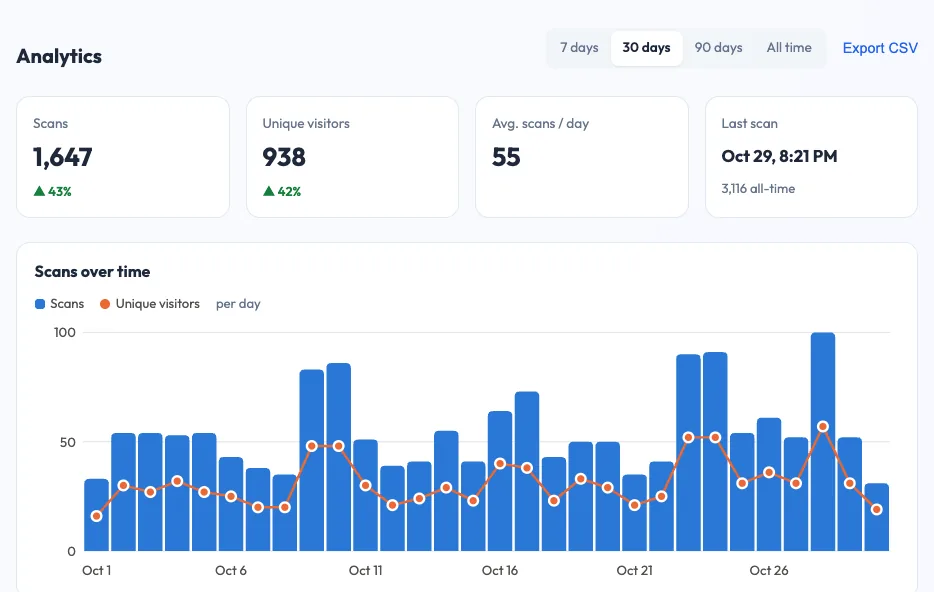
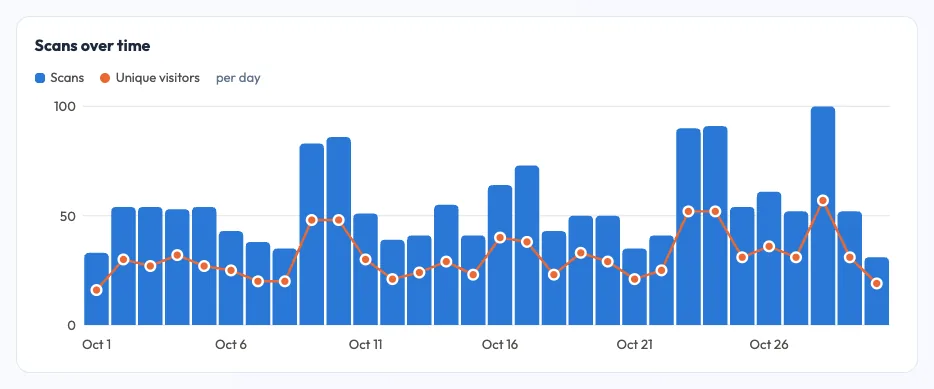
Scans count every time the code was opened. Unique visitors estimate how many different people that was on each day. A big gap between the two is informative: on a restaurant table card, it suggests people scan again during the meal; on a poster, it may mean the page didn't load well and people tried twice. Unique visitors are estimated without cookies, so treat them as a close approximation rather than an exact headcount.
The trend over time
Look at scans per day for the first two weeks after a placement goes up. A healthy code shows an early spike that settles into a steady baseline. A sudden drop to zero on a busy code is a warning sign: the poster may have been removed, covered or damaged. Compare each period with the previous one (7, 30 or 90 days) rather than reading raw totals.
When people scan
A day-by-hour heatmap shows the busiest moments. For a shop window that might be lunchtime and early evening, and for a school notice the 15 minutes before classes. Use it to schedule staff near a display, time social posts, or decide when a temporary sign is worth putting out.
Where and on what
Country and city tell you whether a code travels. Packaging that gets scanned abroad is a signal about where your products end up. Device and operating system matter if you link to app stores: a mostly-iPhone audience needs a great App Store page. Language helps you decide whether a landing page needs a translation.
A note on privacy
Because the counting happens on the redirect, you can measure a placement without profiling the people who scan it. On Dynamic QR Tool the redirect sets no cookies, stores no IP addresses and only shows aggregated numbers to whoever manages the code. That makes scan tracking suitable even for schools, clinics and public notices, where collecting personal data would be a problem.
Compare your QR codes with each other, not with someone else's numbers. The most useful question is "which placement works better?", and one code per placement answers it.
From scans to results
A scan is the start of the journey, not the goal. To see what happens next (a booking, a purchase, a survey completed), connect the scan data to the destination:
- UTM-tagged links let your web analytics attribute visits and conversions to each placement.
- Dedicated landing pages or offer codes for each campaign make results easy to count, even without analytics.
- Short forms work best. If the goal is feedback, a three-question form gets far more completions than a long survey. See the QR code generator for customer surveys.
Then compare: scans per placement, conversions per placement, cost per placement. That simple table tells you where to spend next time.
Common tracking mistakes
- Printing a static code and expecting analytics later. Decide before printing.
- Counting your own tests. Note when you tested so you can discount those scans.
- One code everywhere. Totals look nice but tell you nothing about which placement worked.
- Judging too early. Give a placement at least a couple of weeks before deciding.
- Ignoring the landing page. Lots of scans and few results usually means the page, not the code, needs work.
Put it into practice
Pick your next print job, a poster perhaps, and create two dynamic codes for two different spots. After two weeks, open both dashboards and compare scans, peak hours and devices. You'll learn more about where your audience actually looks than from any amount of guessing. Start with the QR code generator for posters, and make sure your codes keep working for years by reading Do QR codes expire?